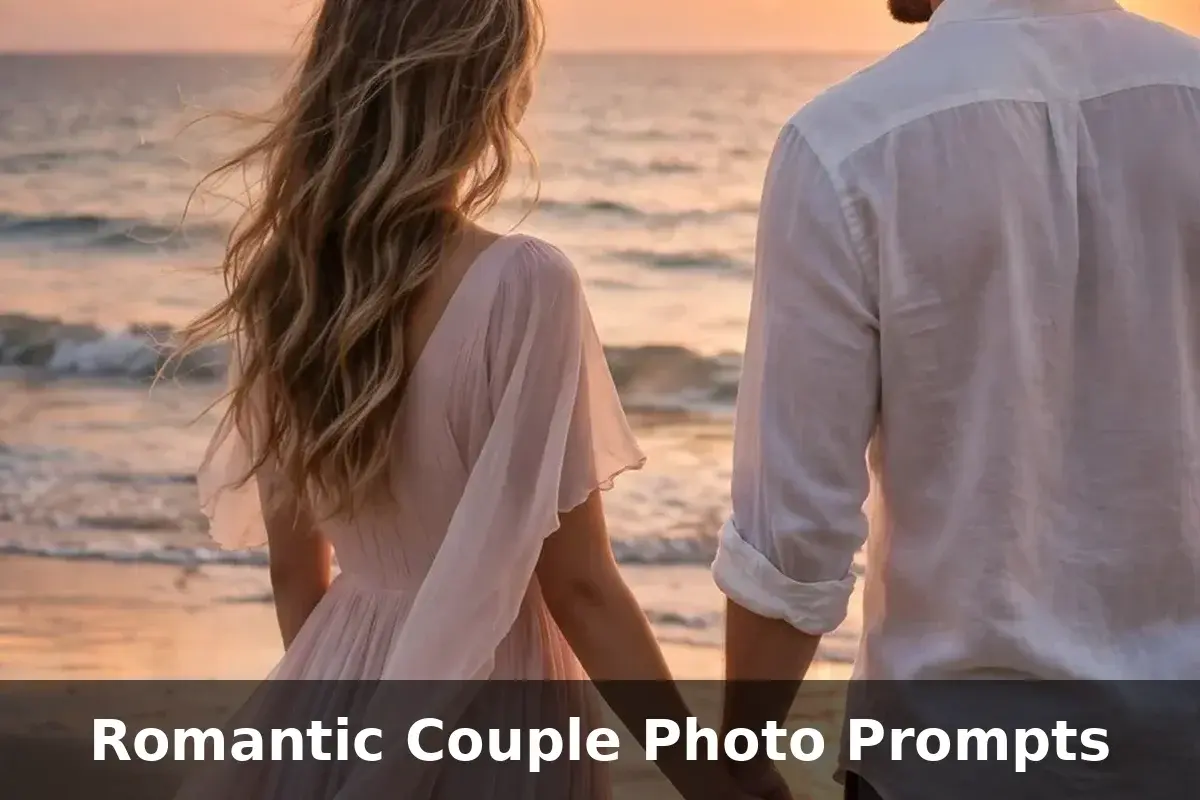
10 Romantic Couple Photo Prompts (Copy and Paste) With Sample Images
Every couple has one ordinary photo that deserves a better story. Maybe the background was a messy room, the light was dull, or the place never matched how the moment felt. AI photo editing fixes that in seconds. You upload a photo of the two of you, paste one prompt, and the app rebuilds the scene around you while keeping both faces exactly the same.
You do not need a flight to Paris, a beach holiday, or a costly studio photoshoot for any of these looks. One clear photo of you and your partner is enough, because the AI builds the outfit, the setting, and the mood around the two of you. That makes these edits perfect for anniversaries, proposal posts, profile pictures, and save the date cards.
Couples are using these edits for much more than profile pictures. The same edited photo can become a phone wallpaper you both share, a printed card for a birthday, a cover for a highlights reel, or the first page of a small photo book. Because the scene is built around a real photo of the two of you, the result feels personal in a way that stock style images never do. One good original picture can quietly turn into a whole set of keepsakes.
Below you will find 10 ready to copy looks, from a quiet beach sunset to a snowy cabin evening. Pick the mood that matches your story and your favorite season. Each scene is written for two people, so both partners stay protected in every edit, and the steps work even if this is your very first AI edit. The sample under each heading shows the exact result that scene creates, so there are no surprises when you run it yourself.
A good romantic couple photo prompt does the hard work for you. It tells the app exactly what to wear, where to stand, and how the light should feel, so all you have to do is choose. Every romantic couple photo prompt in this list comes with a sample image made from that exact text, so you can see the final look before you try it.
How to Use These Prompts
Using a romantic couple photo prompt is simple, even if you have never edited a photo with AI before. Open a photo editing app such as Gemini or ChatGPT, upload one clear photo of the two of you, copy any prompt from this list, paste it into the chat, and send. The app keeps both faces and rebuilds everything else around them.
A photo where both faces are clearly visible gives the most accurate result, so avoid heavy shadows, sunglasses, and caps in your original picture. Portrait photos usually work better than wide group shots, because the app can read your faces and outfits in more detail. If other people are in the frame, crop them out first when you can.
If the first result changes a face too much, run the same prompt again and add one line at the top asking the app to keep both faces exactly the same. You can also change small details inside the prompt, like the outfit colors or the time of day, and generate a fresh version. Small changes keep the faces safe while the scene shifts around you.
Most apps return the result in under a minute, and you can download it straight to your phone. If the colors look too strong or the skin looks too smooth, ask the app for a more natural version in a follow up message. A couple of quick rounds like this usually take a good edit to a great one, and the original photo on your phone stays untouched the whole time, so you can always start again from the same picture.
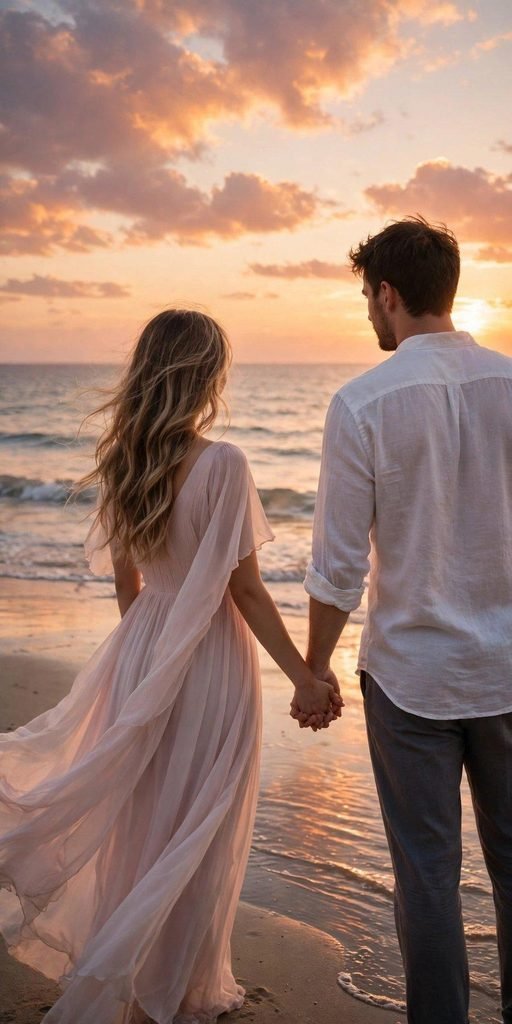
1. Beach Sunset Couple Portrait
Prompt (copy and paste):
Edit my uploaded photo into a romantic beach sunset portrait. Keep both faces, hairstyles, and skin tones exactly the same. Change our outfits into light, flowing beach evening clothes, a soft pastel dress for the girl and a white linen shirt with rolled sleeves for the boy, and show us holding hands facing the sea. Replace the background with a calm beach at sunset with an orange and pink sky, gentle waves, and wet sand reflecting the light. Warm golden glow, dreamy romantic mood, photorealistic, vertical portrait orientation.
Tip: this scene looks most natural when your original photo also has warm light, like a late afternoon selfie.
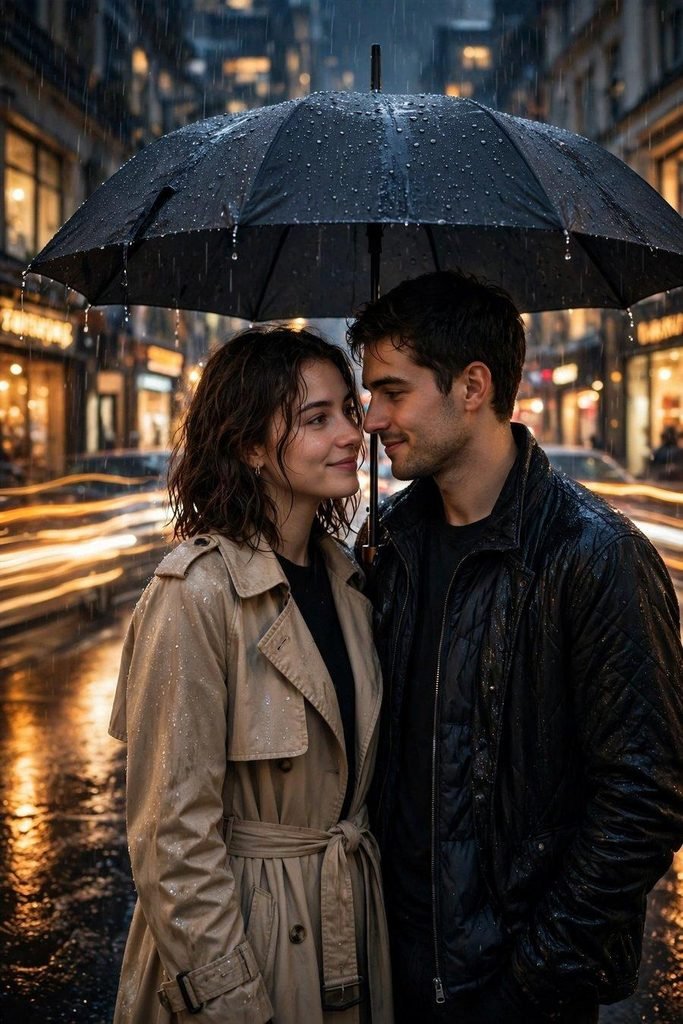
2. Rainy City Umbrella Couple
Prompt (copy and paste):
Edit my uploaded photo into a cozy rainy city portrait. Keep both faces, hairstyles, and skin tones exactly the same. Change our outfits into stylish rainy day clothes, a beige trench coat for the girl and a dark jacket for the boy, and place one large umbrella over both of us as we stand close together. Replace the background with a city street at night after rain, with wet pavement reflecting warm shop lights and soft car light trails. Cozy romantic mood, cinematic look, photorealistic, vertical portrait orientation.
Tip: a photo where you already stand close together gives the umbrella pose the most natural result.
3. Golden Hour Meadow Couple
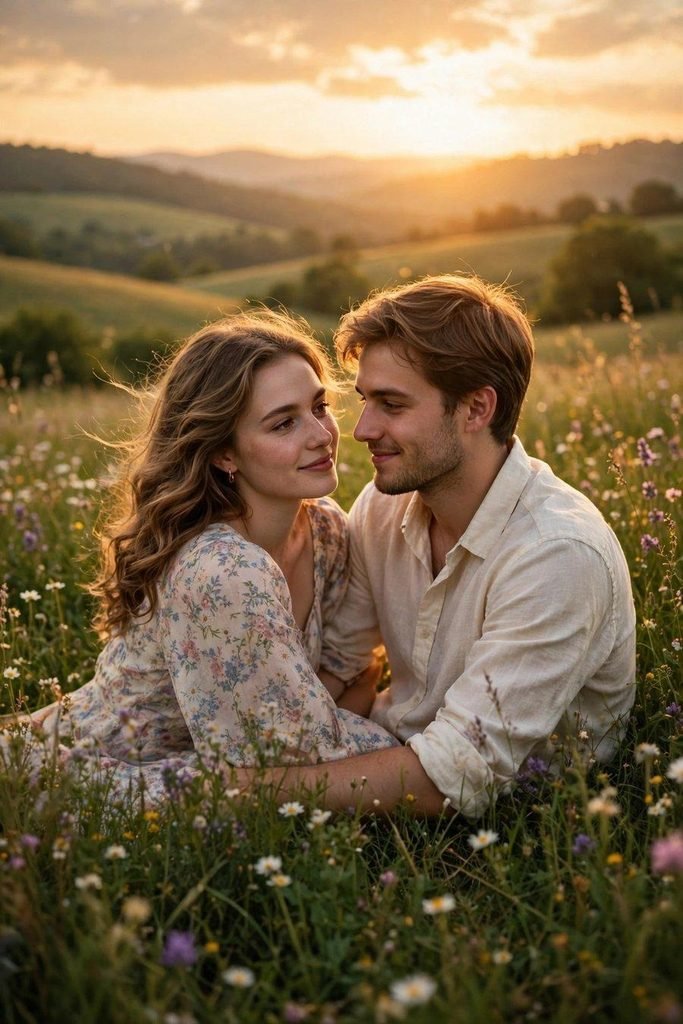
Prompt (copy and paste):
Edit my uploaded photo into a golden hour meadow portrait. Keep both faces, hairstyles, and skin tones exactly the same. Change our outfits into soft countryside clothes, a light floral dress for the girl and a cream shirt with beige trousers for the boy, and show us sitting close on the grass, smiling at each other. Replace the background with a green meadow full of wildflowers under warm golden hour sunlight, with soft hills and a glowing sky behind us. Soft dreamy light, gentle romantic mood, photorealistic, vertical portrait orientation.
Tip: daylight photos edit best into this scene, because the app can match the natural outdoor light.
4. Paris Cafe and Eiffel Tower Couple
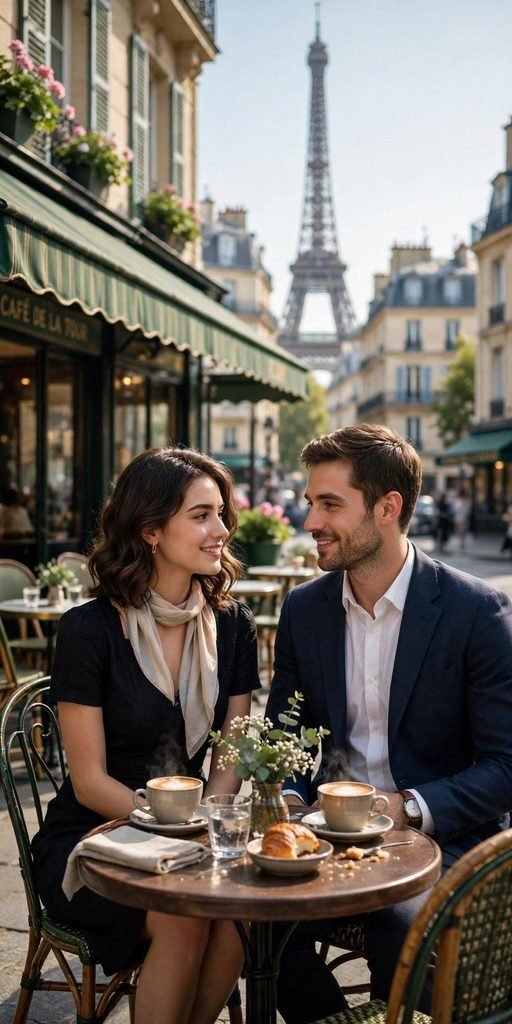
Prompt (copy and paste):
Edit my uploaded photo into a Paris cafe portrait. Keep both faces, hairstyles, and skin tones exactly the same. Change our outfits into elegant Parisian style clothes, a chic black dress with a soft scarf for the girl and a navy blazer with a white shirt for the boy, and seat us at a small round cafe table with two coffee cups. Replace the background with a classic Paris street cafe with the Eiffel Tower rising softly behind the rooftops. Bright morning light, timeless romantic mood, photorealistic, vertical portrait orientation.
Tip: seated photos work naturally here, so a cafe or restaurant photo of you two is a perfect base.
5. Snowy Mountain Cabin Couple
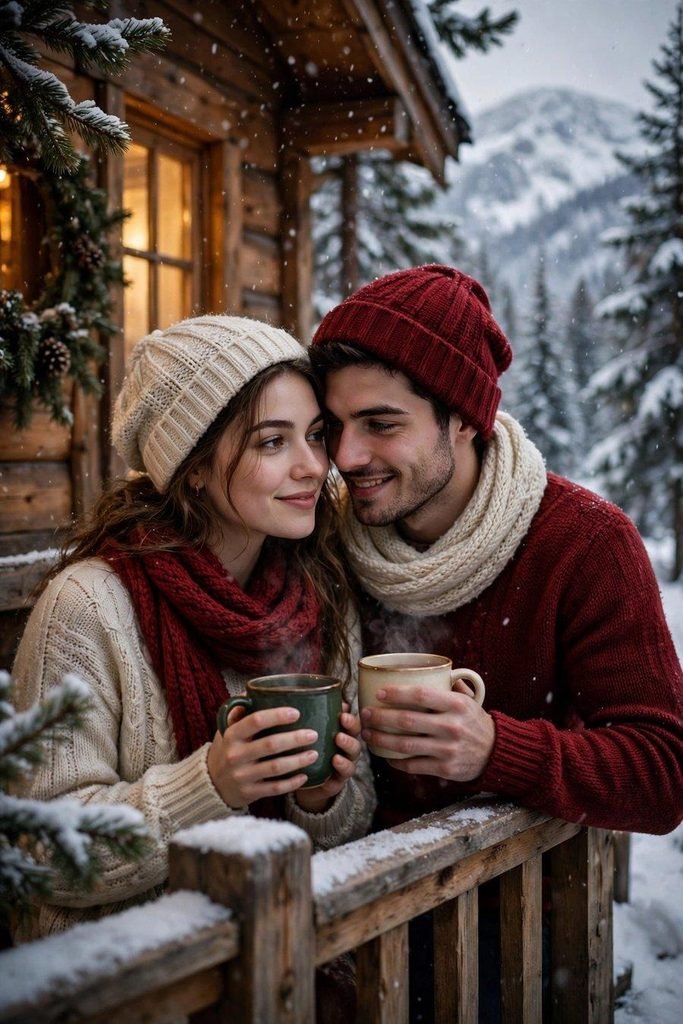
Prompt (copy and paste):
Edit my uploaded photo into a snowy mountain cabin portrait. Keep both faces, hairstyles, and skin tones exactly the same. Change our outfits into warm winter clothes, cozy knitted sweaters, scarves, and wool caps in deep red and cream, and show us holding warm mugs close together. Replace the background with a wooden cabin porch in the mountains with soft snow falling, pine trees, and warm light glowing from the cabin windows. Cozy winter mood, soft romantic light, photorealistic, vertical portrait orientation.
Tip: this edit is a favorite for winter anniversaries and December profile pictures.
6. Fairy Lights Night Couple
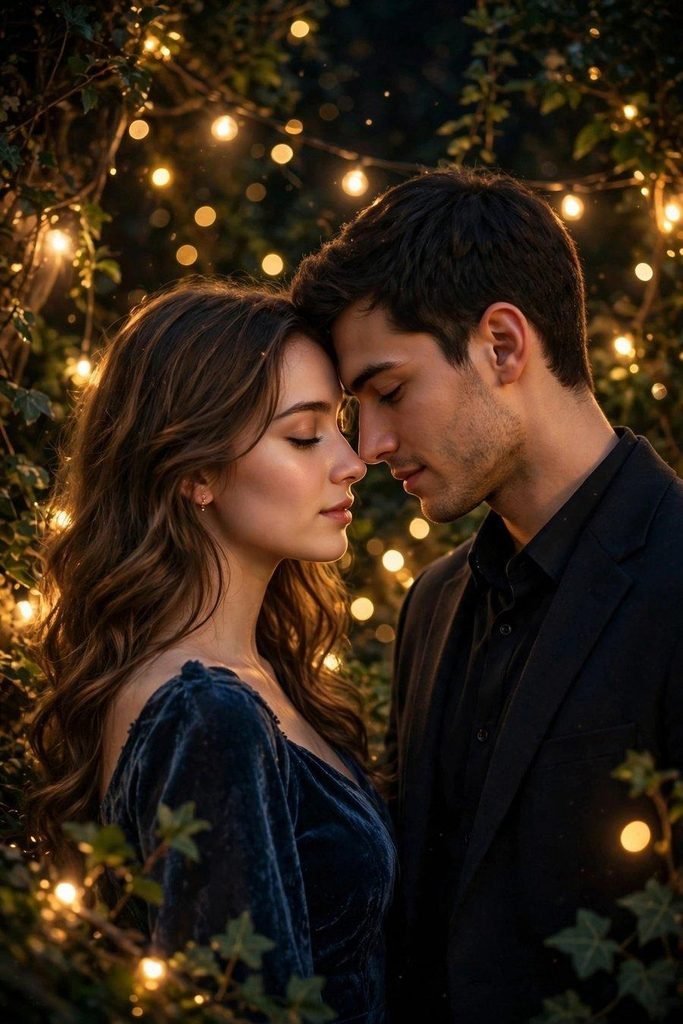
Prompt (copy and paste):
Edit my uploaded photo into a fairy lights night portrait. Keep both faces, hairstyles, and skin tones exactly the same. Change our outfits into soft evening party clothes, a deep blue dress for the girl and a dark shirt with a blazer for the boy, and show us standing close with foreheads nearly touching. Replace the background with a dark night garden filled with warm fairy lights and soft golden bokeh all around us. Magical warm glow, intimate romantic mood, photorealistic, vertical portrait orientation.
Tip: evening photos with a few lights already in the frame blend into this scene beautifully.
7. Traditional Festive Couple
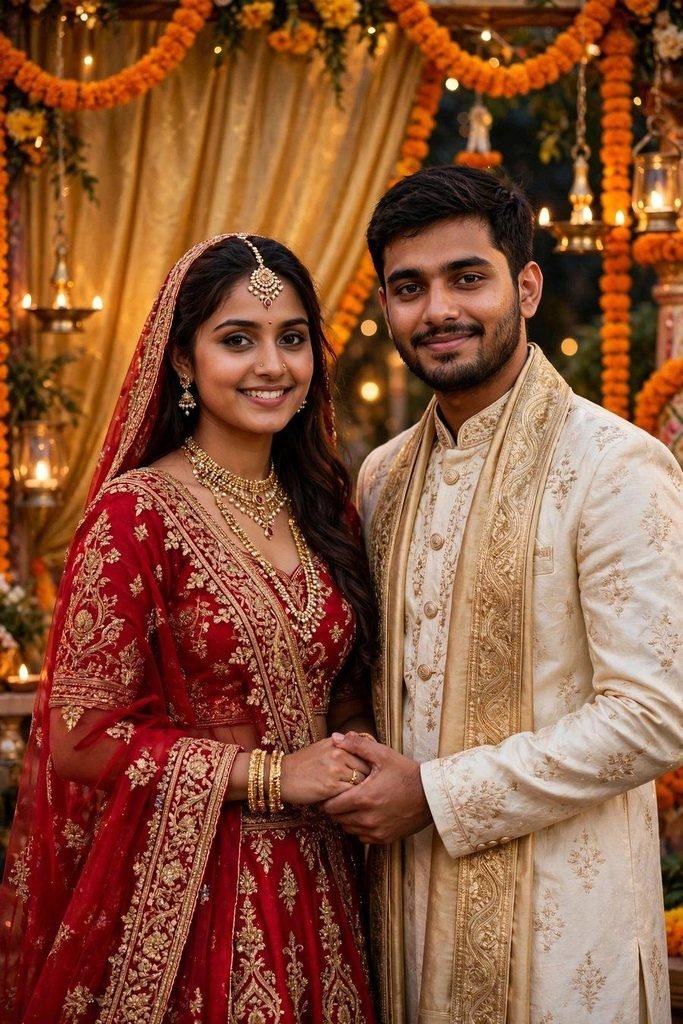
Prompt (copy and paste):
Edit my uploaded photo into a traditional festive couple portrait. Keep both faces, hairstyles, and skin tones exactly the same. Change our outfits into elegant Indian festive clothes, a rich red lehenga with gold embroidery and jewelry for the girl and a cream sherwani with a gold stole for the boy, and show us standing side by side with joined hands. Replace the background with a decorated festive backdrop with marigold garlands, brass lamps, and warm golden drapes. Graceful celebratory mood, rich warm light, photorealistic, vertical portrait orientation.
Tip: this is the most loved style for festival greetings and family celebration posts.
8. Vintage Film Retro Couple

Prompt (copy and paste):
Edit my uploaded photo into a vintage film style portrait. Keep both faces, hairstyles, and skin tones exactly the same. Change our outfits into retro 1970s style clothes, a floral maxi dress with a denim jacket for the girl and a patterned shirt with flared trousers for the boy, and lean us casually against a classic vintage car. Replace the background with a quiet old town street with faded painted signs and warm afternoon light. Add a soft film grain and slightly faded colors for a true retro photo feel, photorealistic, vertical portrait orientation.
Tip: if the app adds too much grain, ask it to keep the film effect light so your faces stay clear.
9. Rooftop Skyline at Dusk Couple
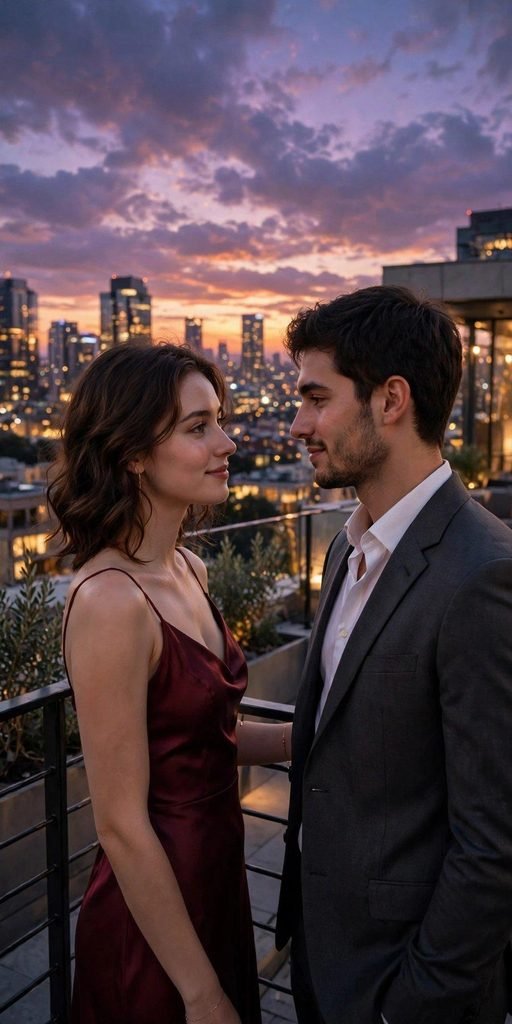
Prompt (copy and paste):
Edit my uploaded photo into a rooftop skyline portrait at dusk. Keep both faces, hairstyles, and skin tones exactly the same. Change our outfits into smart evening clothes, a burgundy dress for the girl and a charcoal suit with an open collar shirt for the boy, and show us standing at a railing looking at each other. Replace the background with a city rooftop at dusk with a glowing skyline, early evening lights, and a purple orange sky. Modern romantic mood, soft city glow, photorealistic, vertical portrait orientation.
Tip: this bold scene makes a strong cover photo for reels and anniversary posts.
10. Cherry Blossom Garden Couple
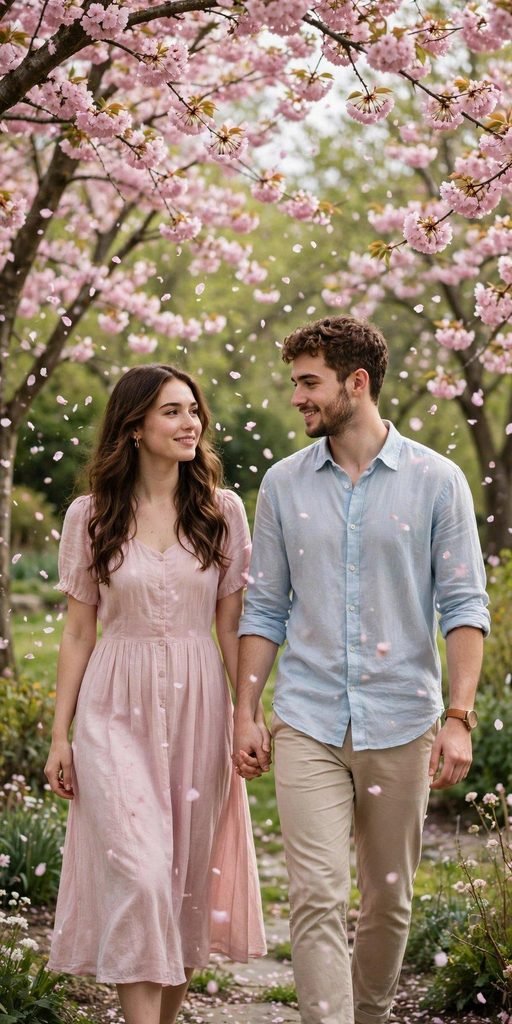
Prompt (copy and paste):
Edit my uploaded photo into a cherry blossom garden portrait. Keep both faces, hairstyles, and skin tones exactly the same. Change our outfits into soft spring clothes, a light pink dress for the girl and a pale blue shirt with beige trousers for the boy, and show us walking hand in hand under the trees. Replace the background with a garden path lined with cherry blossom trees in full bloom, with pink petals gently falling around us. Soft daylight, fresh spring mood, photorealistic, vertical portrait orientation.
Tip: spring edits like this one pair beautifully with light, smiling originals taken outdoors.
Pro Tips for Better Romantic Couple AI Photo Edits
A strong original photo matters more than a fancy prompt. Every romantic couple photo prompt in this list already includes a line that protects both faces, and these simple tips will make each result look even more real and more like the two of you.
Use one clear photo of the two of you. A sharp photo where both faces look toward the camera gives the cleanest edit. Blurry or dark originals often come back with slightly changed features, so pick the clearest shot you have.
Never delete the face line. Each prompt asks the app to keep your faces, hairstyles, and skin tones exactly the same. That single line is what keeps the edit looking like you, so keep it in every copy you paste.
Change one detail at a time. Want a different dress color or a dusk sky instead of a sunset? Change only that one thing and generate again. Changing everything at once often weakens the face match.
Match the mood to the occasion. Soft scenes like the meadow and the cherry blossom garden suit anniversaries and gentle posts, while bold scenes like the rooftop and the rainy city suit party photos and reel covers. Thinking about where the photo will be posted helps you pick the right scene the first time.
Save a few versions. Generate two or three versions of your favorite scene and keep the most natural one. Small changes in expression or light can make one version clearly better than the rest.
Check the small details before posting. Look once at hands, jewelry, and the edges of your hair in the final image. AI edits are strong on faces and scenes, but small details can occasionally look odd, and a quick second generation usually fixes them.
Frequently Asked Questions
What is a romantic couple photo prompt?
It is a ready made text instruction that you paste into an AI photo editing app together with your own couple photo. The prompt describes the outfits, the setting, and the mood you want, and the app rebuilds your photo in that style while keeping both faces the same. Think of it as a recipe: your photo provides the people, and the text provides everything around them.
Which app should we use for these prompts?
Any modern AI photo editing app works, including Gemini and ChatGPT. Both accept a photo upload plus a text prompt, which is exactly what these 10 prompts are written for. The free versions are enough for most couples. If one app gives a weak result, try the same romantic couple photo prompt in the other app, because each tool reads outfits and backgrounds a little differently.
Will the edited photo still look like us?
Yes, if your original photo is clear and both faces are easy to see. Every prompt in this list tells the app to keep your faces, hairstyles, and skin tones exactly the same. If a result changes a face, generate again and repeat that instruction at the very top of the prompt. Results are usually closest when both of you face the camera and neither face is partly covered by a hand, a cap, or deep shadow.
Can we use these prompts on an old photo?
Yes, and old photos often make the sweetest edits. A clear scan or a bright phone photo of a printed picture usually works well. Very dark or damaged photos are harder for the app to read, so pick the clearest copy you have and expect slightly softer results.
Are these AI photo edits free to make?
Mostly yes. Gemini and ChatGPT both offer free photo editing with daily limits, which is enough to try several looks from this list. Paid plans mainly raise the daily limit and the image quality, so start free and upgrade only if you run out of edits. You can also change small parts of any prompt before pasting, like outfit colors or the time of day, and the app will follow your edited line.
Conclusion
A great couple photo is really about the feeling, and now the setting can finally match it. Pick your favorite romantic couple photo prompt from this list, upload your clearest photo together, and create a dreamy new version in under a minute. Try the beach sunset first, then wander through Paris, the snow, and the cherry blossoms, and save the edits you love for your next anniversary post. Share this list with your partner and choose your first scene together. And when you find a scene you both love, try it again with a different photo from another day. The same setting can feel completely new with a different smile, and collecting those versions is half the fun.