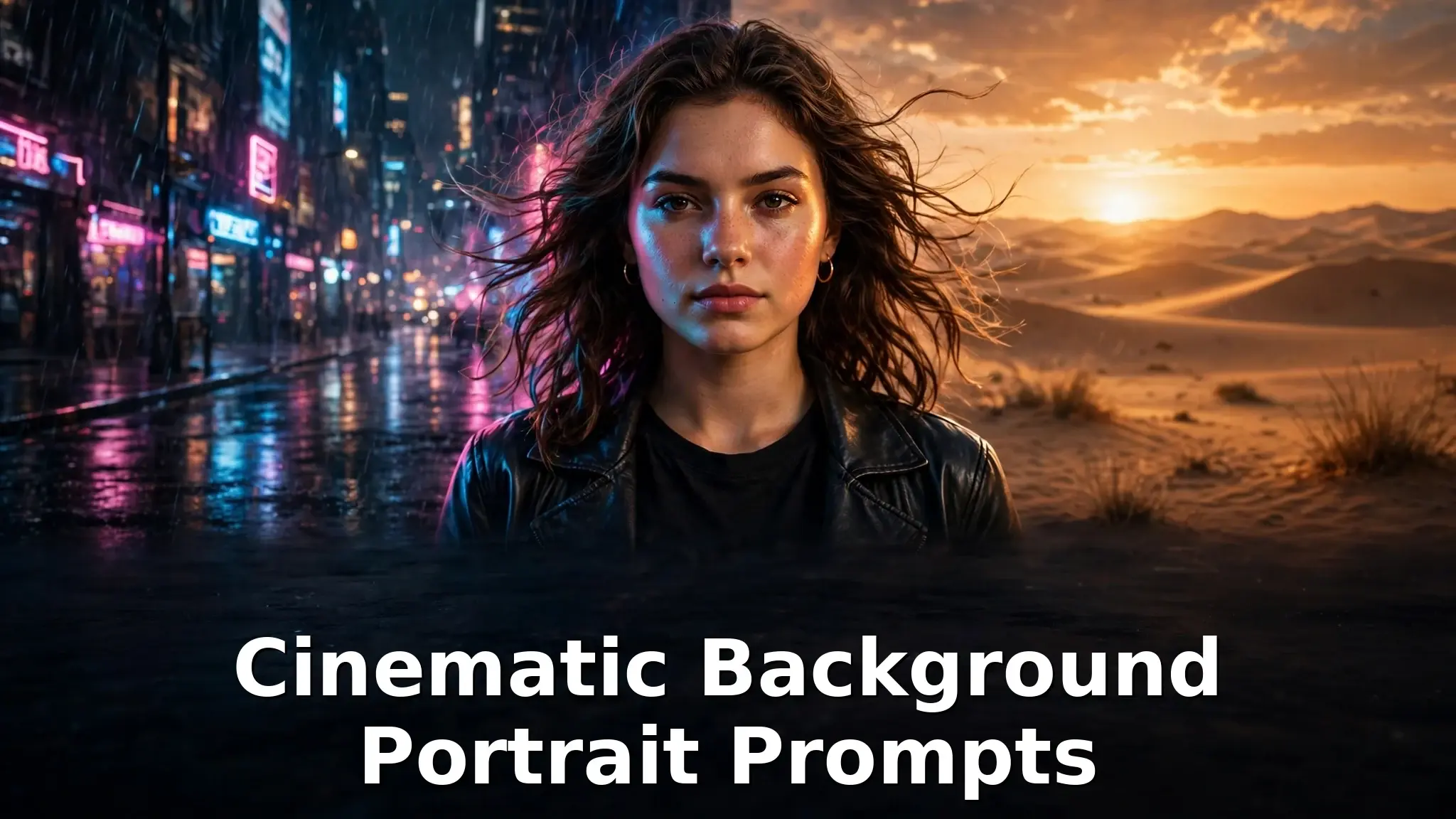
10 Cinematic Background Portrait Prompts With Sample Images
Some portraits look like simple photos, and some look like a frame taken straight out of a movie. The difference is rarely the camera. It is the background behind the subject and the way light falls on the scene. A rainy neon street, a golden desert road, or soft rays of sun in a forest can turn an ordinary portrait into a film still.
In this post you will find 10 ready to use cinematic background portrait prompts. Every prompt comes with a real sample image that was generated from that exact prompt, so you can see the result first and then copy the prompt to create your own version.
How to Use These Prompts
Copy any prompt below and paste it into your favorite AI image tool, such as Gemini, ChatGPT image generation, or a Midjourney style image generator. Each prompt is already complete, so it works exactly as it is.
To make the portrait yours, change only the subject lines, for example the person, the outfit, or the hairstyle. You can also upload your own photo and ask the tool to keep your face and apply the same background and lighting. Keep the background and lighting lines unchanged, because those lines are what create the cinematic look.
1. Rainy Neon City Night
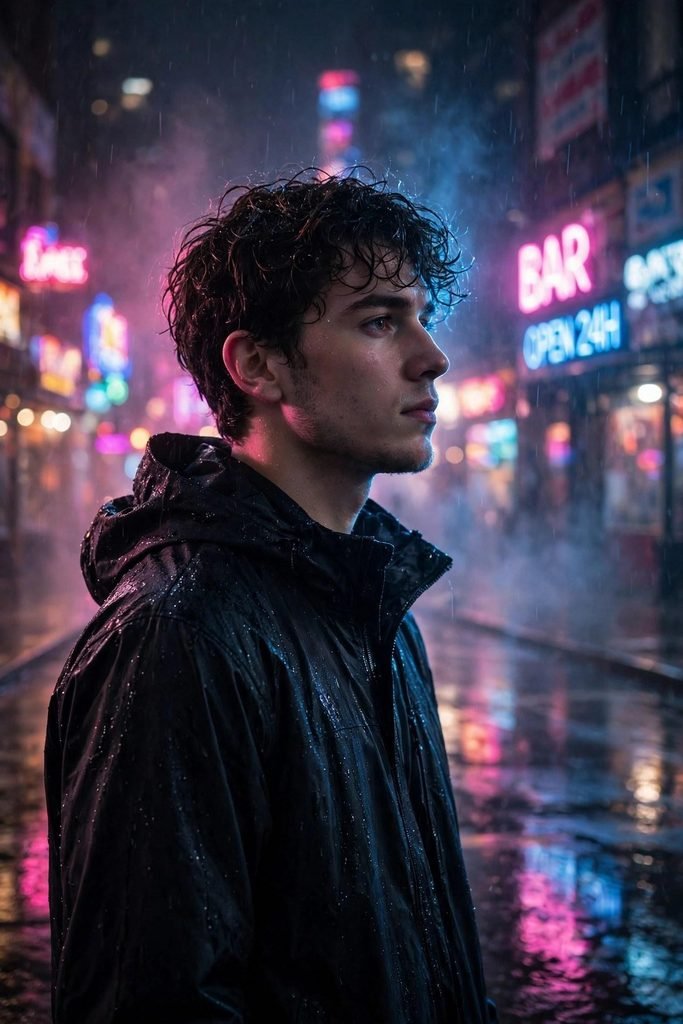
Cinematic portrait of a young man standing on a rain-soaked city street at night, neon signs in pink and blue reflecting on the wet pavement, soft mist in the air, dramatic rim lighting on his face, wearing a dark jacket, looking slightly away from the camera, shallow depth of field, blurred city lights bokeh in the background, shot on 85mm lens, photorealistic, moody film-still look, vertical portrait orientation
Tip: Swap the neon colors to change the whole mood. Try green and orange for a softer look, or red and blue for a stronger night feel.
2. Golden Hour Desert Road
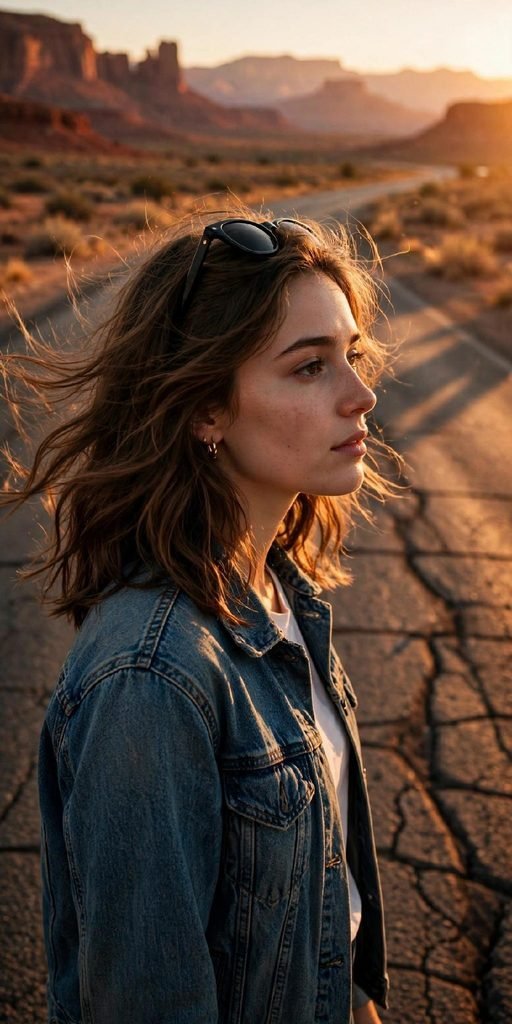
Cinematic portrait of a young woman standing on an empty desert road at golden hour, warm orange sunlight glowing on the side of her face, long shadows stretching across the cracked asphalt, distant red rock mountains in the background, wearing a denim jacket with sunglasses pushed up on her head, hair moving softly in the warm breeze, shallow depth of field, shot on 85mm lens, photorealistic, moody film-still look, vertical portrait orientation
Tip: Golden hour lines work best when you keep the warm light and long shadow details in the prompt. Removing them often makes the light look flat.
3. Film Noir Rainy Alley
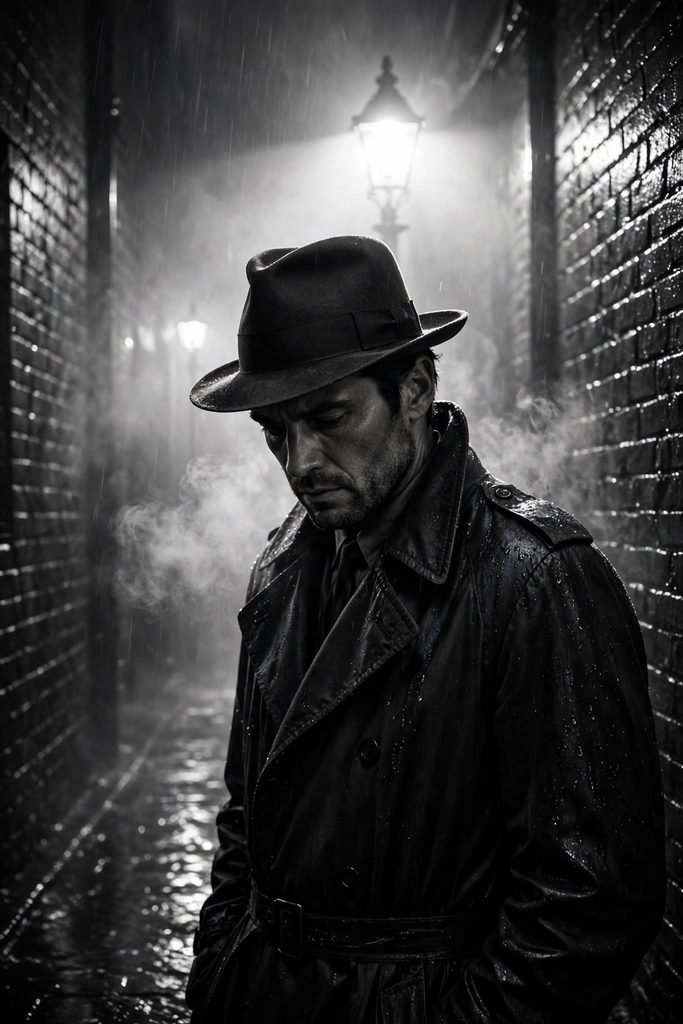
Cinematic portrait of a man in a dark trench coat and fedora standing in a narrow rainy alley at night, black and white photography, high contrast light and shadow, a single street lamp cutting through the fog behind him, smoke curling in the damp air, wet brick walls reflecting the harsh light, looking down with a serious expression, shallow depth of field, shot on 50mm lens, photorealistic, classic film noir still look, vertical portrait orientation
Tip: Black and white prompts need strong contrast words. If your result looks gray and dull, add the words high contrast and deep shadows.
4. Misty Mountain Sunrise
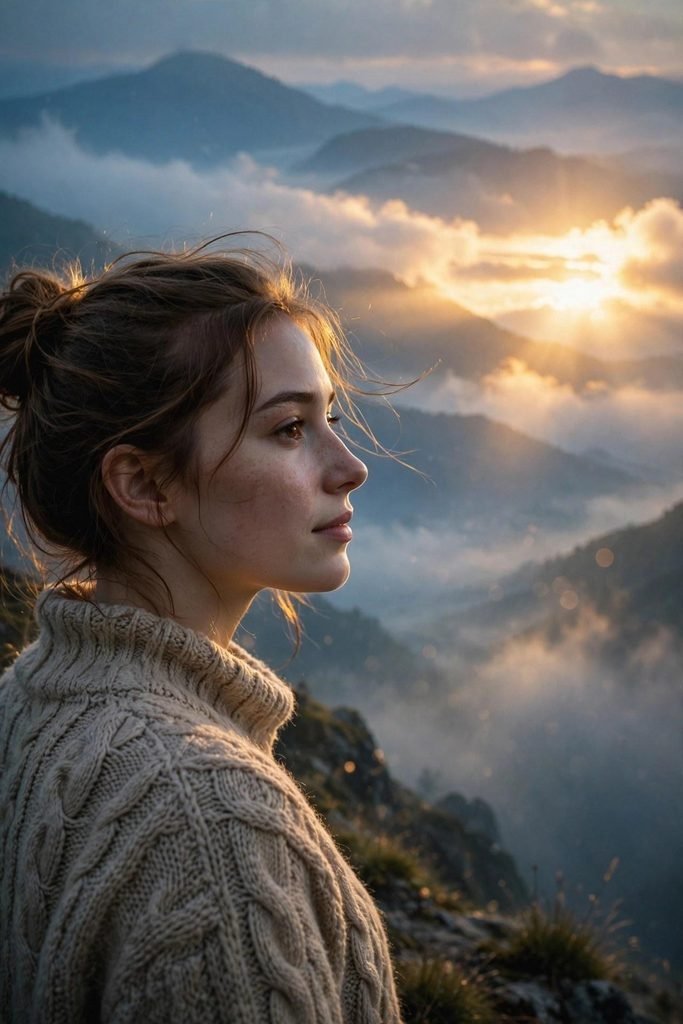
Cinematic portrait of a young woman standing on a misty mountain ridge at sunrise, soft golden light breaking through low clouds behind her, layers of foggy blue peaks fading into the distance, wearing a warm knitted sweater, peaceful expression looking toward the light, shallow depth of field, shot on 85mm lens, photorealistic, moody film-still look, vertical portrait orientation
Tip: Mist and layers of mountains add depth to any portrait. You can reuse this background style with a completely different subject and outfit.
5. Royal Palace Hall
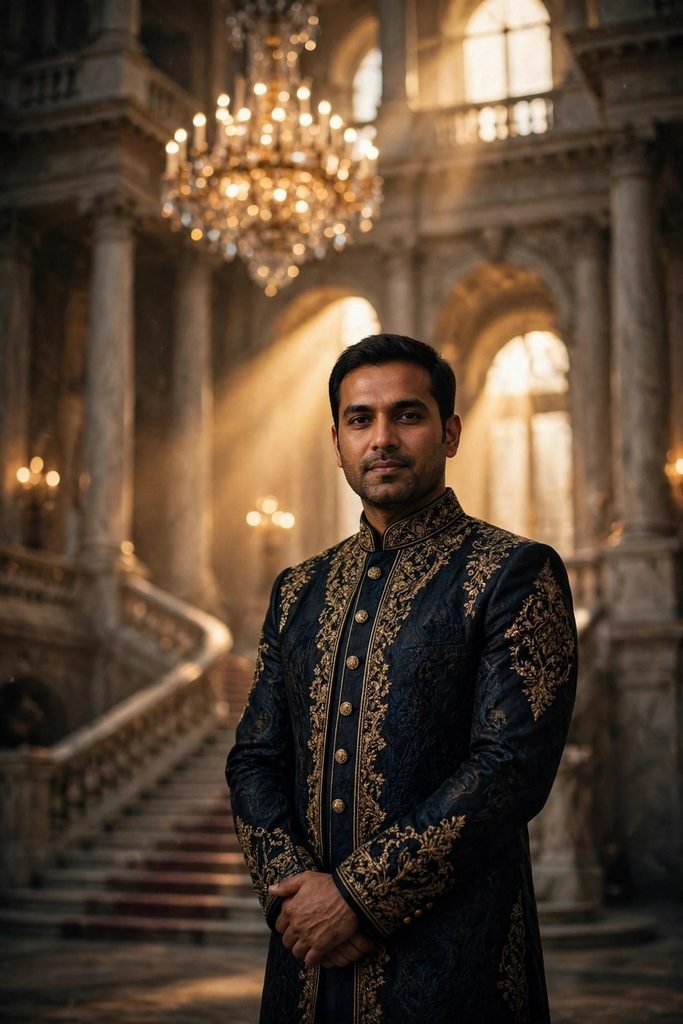
Cinematic portrait of a man standing in a grand royal palace hall, tall marble pillars and a glowing crystal chandelier behind him, warm golden light falling from high arched windows, wearing an elegant dark sherwani with gold embroidery, confident pose with hands folded, shallow depth of field, blurred royal staircase in the background, shot on 85mm lens, photorealistic, moody film-still look, vertical portrait orientation
Tip: For a royal look, the outfit carries the scene. Rich fabrics and details like gold embroidery make the result feel grand and expensive.
6. Beach Sunset
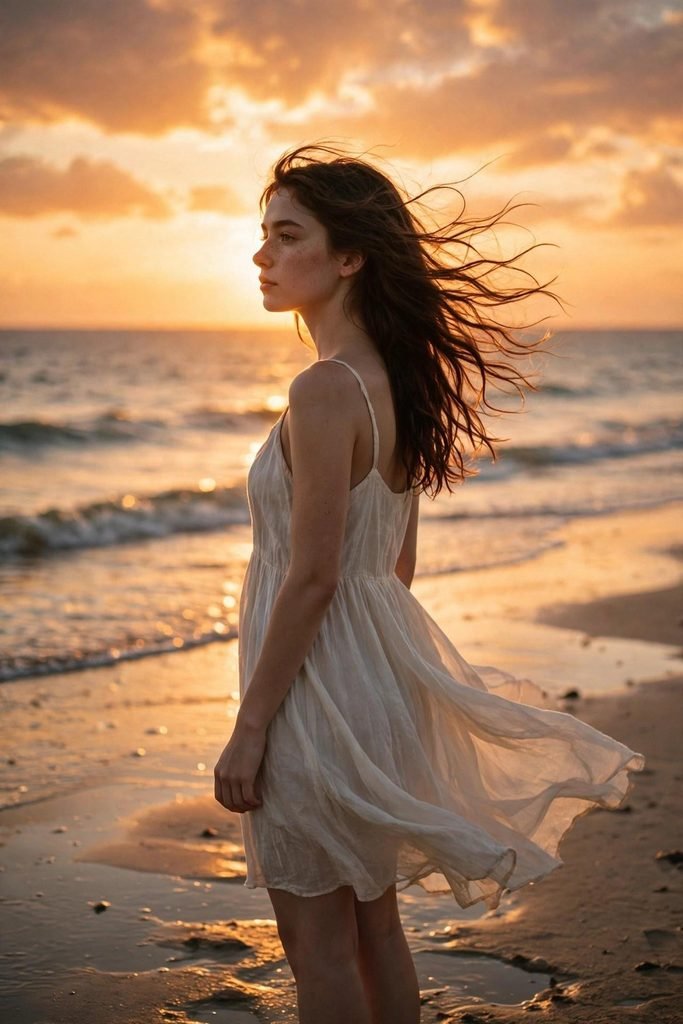
Cinematic portrait of a young woman standing on a beach at sunset, golden orange sky and calm sea glowing behind her, gentle waves touching wet sand with soft reflections, wearing a light flowing summer dress, hair moving in the sea breeze, warm backlight creating a soft halo around her, shallow depth of field, shot on 85mm lens, photorealistic, moody film-still look, vertical portrait orientation
Tip: Backlight is the secret of this prompt. It creates the soft halo around the hair that makes sunset portraits look dreamy.
7. Cyberpunk Futuristic Street
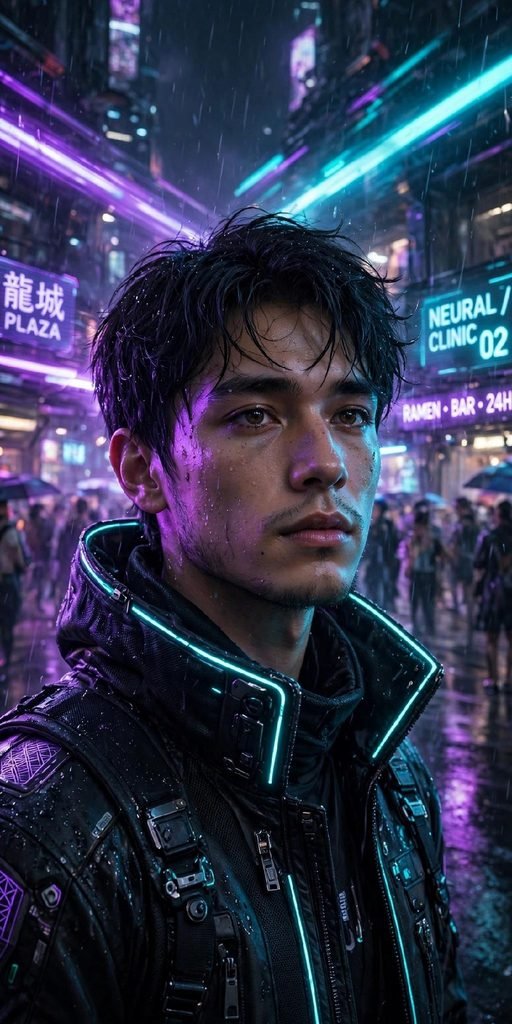
Cinematic portrait of a young man standing on a futuristic cyberpunk street at night, glowing holographic signs and streaking vehicle lights behind him, purple and cyan neon light washing over his face, wearing a high-tech jacket with a raised collar, light rain in the air, shallow depth of field, blurred futuristic crowd in the background, shot on 85mm lens, photorealistic, moody sci-fi film-still look, vertical portrait orientation
Tip: Neon prompts can get too colorful. If the face looks washed out, add the words balanced skin tones to keep the portrait natural.
8. Forest God Rays
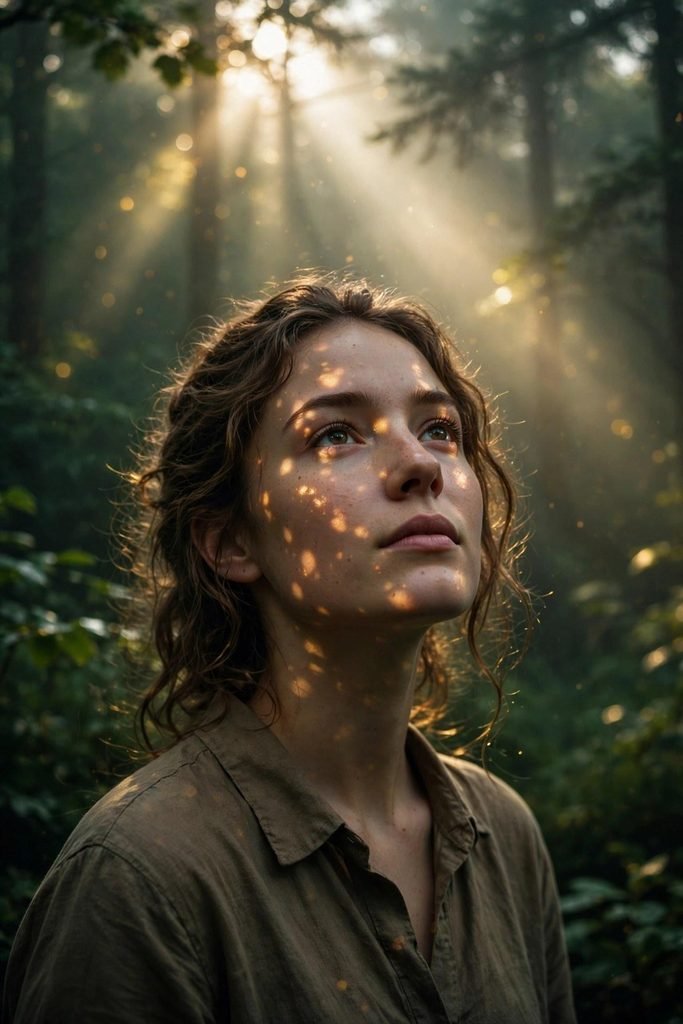
Cinematic portrait of a person standing in a deep green forest, strong rays of sunlight breaking through tall trees and morning mist behind them, soft golden light spots falling on their face, wearing a simple earth-toned shirt, calm expression looking slightly upward, shallow depth of field, blurred sunbeams and leaves in the background, shot on 85mm lens, photorealistic, moody film-still look, vertical portrait orientation
Tip: God rays need mist or soft fog to become visible. Without a mist line in the prompt, the sunlight effect usually disappears.
9. Vintage 90s Film Cafe
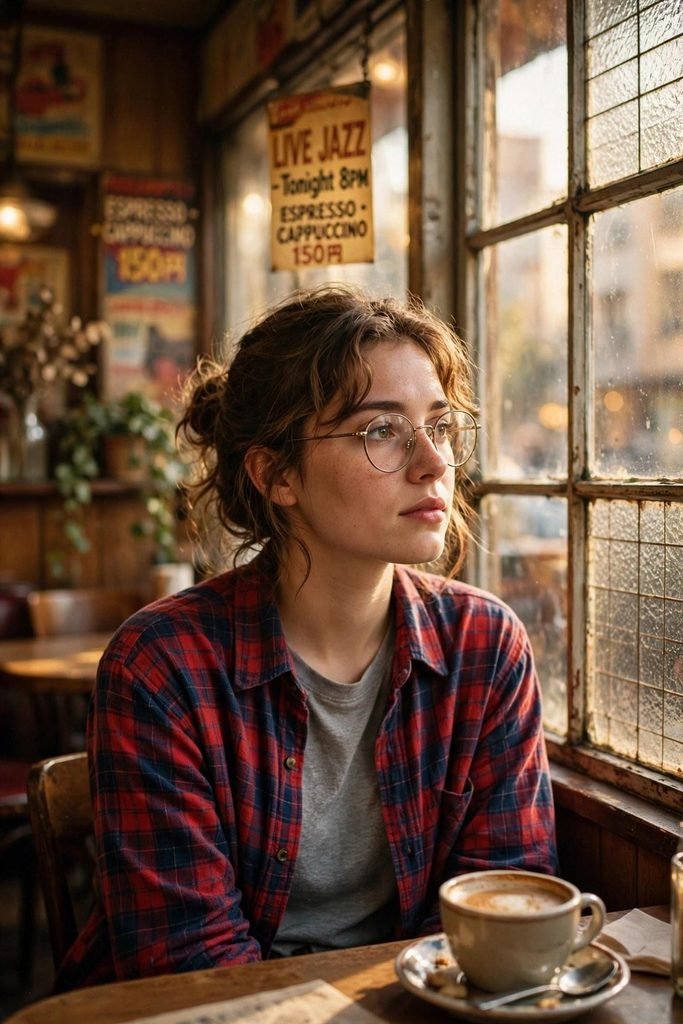
Cinematic portrait of a young woman sitting by the window of a vintage 1990s cafe, warm afternoon light coming through old glass panes, retro posters and wooden tables softly blurred behind her, wearing a plaid shirt and round glasses, a cup of coffee on the table in front of her, gentle film grain over the whole frame, shallow depth of field, shot on 35mm film camera, photorealistic, nostalgic film-still look, vertical portrait orientation
Tip: The film grain line gives this prompt its old photo feel. You can remove it if you want a cleaner and sharper result.
10. Snowy Night Street Lamp
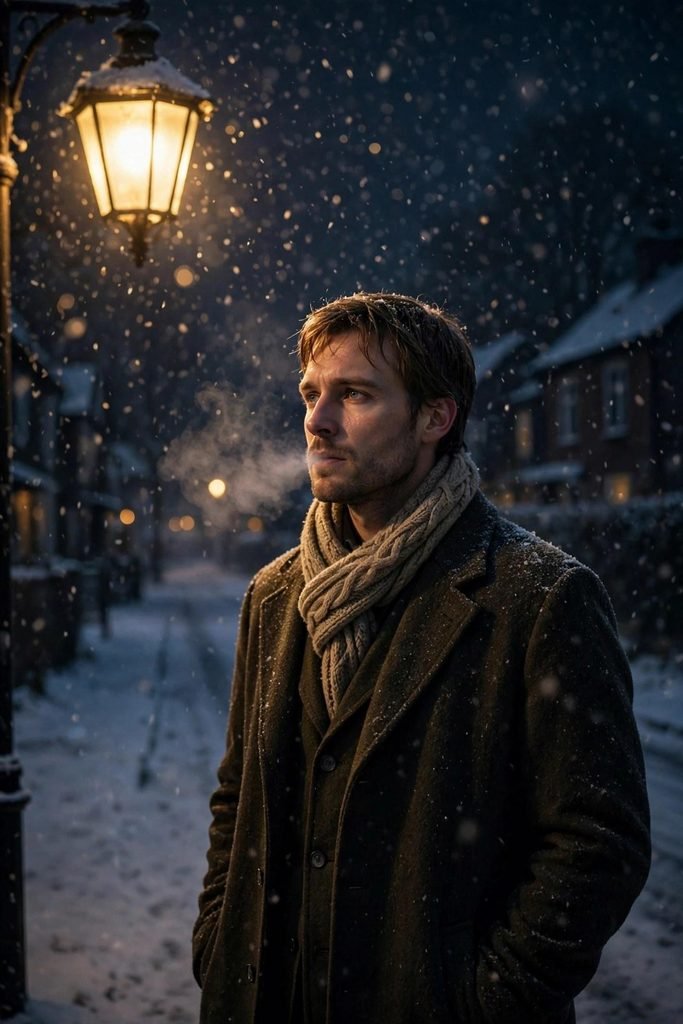
Cinematic portrait of a man standing under a glowing street lamp on a snowy night street, soft snowflakes falling through the warm yellow light, quiet empty road and dark houses fading behind him, wearing a long wool coat and a knitted scarf, breath visible in the cold air, shallow depth of field, blurred falling snow in the background, shot on 85mm lens, photorealistic, moody film-still look, vertical portrait orientation
Tip: A single warm light source against a cold scene creates strong contrast. This style also works beautifully for winter profile photos.
Pro Tips for Better Cinematic Portraits
- Lighting words matter most. Words like golden hour, rim lighting, and soft window light decide the mood more than any other part of the prompt.
- Always add a lens and depth line. A line like shot on 85mm lens with shallow depth of field makes the background melt softly behind the subject.
- Describe the background separately. Give the background its own clear details instead of mixing everything into one long sentence about the person.
- Use vertical orientation for reels and profile photos. Vertical portraits fit phone screens, stories, and profile pictures much better.
- Change one element at a time. When you edit a prompt, change only the outfit or only the location, so you can see what each change does.
Frequently Asked Questions
Can I use these prompts with my own photo?
Yes. Most AI image tools let you upload your photo and then apply a prompt to it. Upload your picture, paste the prompt, and ask the tool to keep your face the same while changing the background and lighting to match the prompt. Results vary by tool, so you may need one or two tries.
Which tool is best for these prompts?
There is no single best tool. Gemini and ChatGPT image generation are easy for beginners and follow long prompts well. Midjourney style tools give very artistic results but often need shorter, edited prompts. Start with the tool you already use, because these prompts work in all of them.
Can I use the images commercially?
That depends on the terms of the tool you use. Some tools allow commercial use on paid plans, while free plans may limit it. Always check the terms of the image tool before using a generated image for business or client work.
How do I change only the background of my photo?
Upload your photo and write a short instruction that says to keep the person exactly the same and replace only the background. Then paste the background and lighting lines from any prompt above. Clear instructions like keep my face, clothes, and pose unchanged help the tool protect the subject.
Conclusion
A great cinematic portrait is mostly background plus light. With the 10 prompts above, you can create rainy neon streets, royal halls, snowy nights, and golden sunsets without a camera, a studio, or a big budget. Pick the scene you like, copy the prompt, adjust the subject to match yourself, and generate. Then change one small thing at a time until the frame feels like a scene from your own movie.